Co dostaje strona
Ta karta powstała wyłącznie z <title>, opisu, ikony i obrazka samej strony.
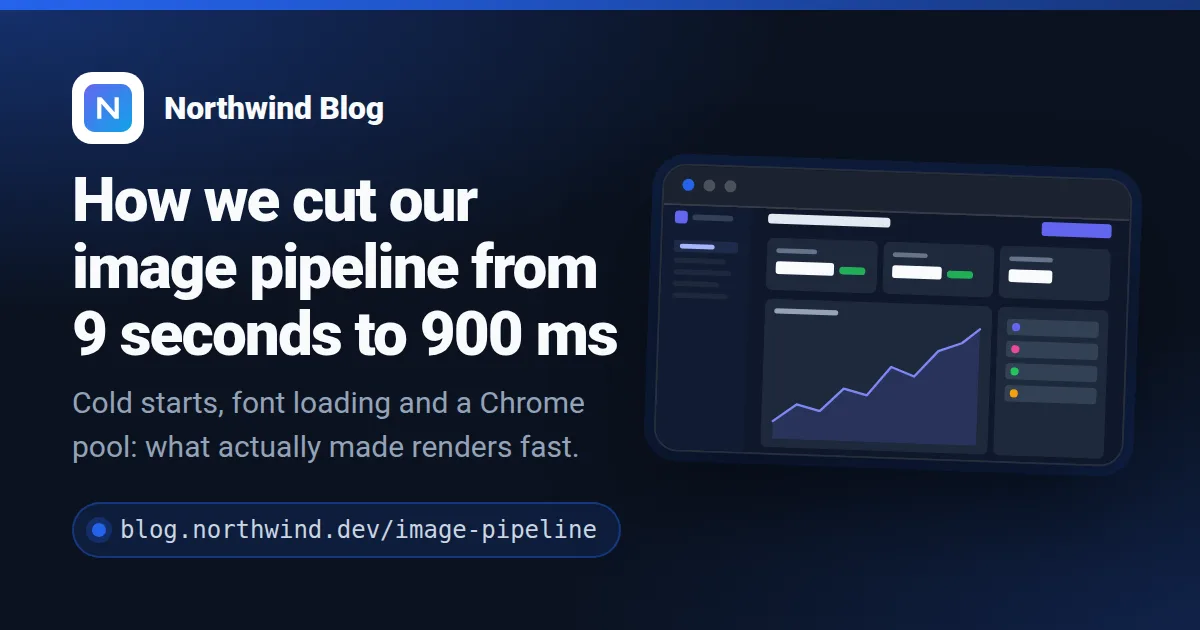
Jak to działa
- Dopuść swoją domenę. Załóż konto i dodaj domenę w panelu. Obrazki dostają tylko jej strony (i subdomeny) — nikt nie wyrenderuje niczego na twój limit cudzą stroną.
- Wklej jeden tag.
<meta property="og:image" content=".../u/acc_….png?url=STRONA">w szablonie, z adresem strony wstawianym przez twoją platformę. - Udostępniaj linki. Gdy robot pyta o obrazek, czytamy stronę, renderujemy kartę 1200×630 i przekierowujemy na nią. Kolejne udostępnienie tej samej strony to przekierowanie na ten sam plik.
Co czytamy ze strony
og:title,twitter:titlealbo<title>— nagłówekog:descriptionalbodescription— jedna, dwie linie pod nimog:site_namei ikona (apple-touch-iconalbo największa ikona PNG) — wiersz z markąog:image— w ramce okna przeglądarki obok tekstu, jeśli strona go matheme-color— kolor akcentu, gdy to prawdziwy kolor, a nie biel, czerń albo szarość<link rel="canonical">— żeby ta sama strona pod dwoma adresami była jednym obrazkiem
Fragmenty dla twojej platformy
Zamień acc_YOUR_ACCOUNT_ID na identyfikator swojego konta — panel pokazuje te fragmenty z nim już wstawionym.
HTML
Dowolna strona: tag w <head> każdej podstrony, z jej adresem zakodowanym po ?url=. Generatory stron statycznych wstawią go ze zmiennej z adresem strony.
<!-- In the <head> of each page, with that page's own address -->
<meta property="og:image" content="https://shareglint.com/u/acc_YOUR_ACCOUNT_ID.png?url=https%3A%2F%2Fyour-site.com%2Fpricing">
<meta name="twitter:card" content="summary_large_image">
WordPress
Dodaj do functions.php motywu potomnego albo wtyczką do fragmentów kodu. Jeśli wtyczka SEO (Yoast, Rank Math) już wypisuje og:image, wyłącz w niej obrazek, żeby strona miała tylko jeden.
// functions.php of your (child) theme, or a code-snippets plugin
add_action('wp_head', function () {
    global $wp;
    $page = is_singular() ? wp_get_canonical_url() : home_url(user_trailingslashit($wp->request));
    $image = 'https://shareglint.com/u/acc_YOUR_ACCOUNT_ID.png?url=' . rawurlencode($page);

    echo '<meta property="og:image" content="' . esc_attr($image) . '">' . "\n";
    echo '<meta name="twitter:card" content="summary_large_image">' . "\n";
}, 1);
Shopify
Sklep internetowy → Motywy → Edytuj kod. Zamień linie og:image w snippets/meta-tags.liquid (albo w layout/theme.liquid). canonical_url działa na produktach, kolekcjach, stronach i wpisach bloga.
{%- comment -%} snippets/meta-tags.liquid — replace the og:image lines {%- endcomment -%}
<meta property="og:image" content="https://shareglint.com/u/acc_YOUR_ACCOUNT_ID.png?url={{ canonical_url | url_encode }}">
<meta property="og:image:secure_url" content="https://shareglint.com/u/acc_YOUR_ACCOUNT_ID.png?url={{ canonical_url | url_encode }}">
<meta property="og:image:width" content="1200">
<meta property="og:image:height" content="630">
<meta name="twitter:card" content="summary_large_image">
Ghost
Edytuj default.hbs motywu i wstaw tagi nad {{ghost_head}}. Code injection w panelu Ghosta nie wykonuje Handlebars, więc nie wstawi adresu strony.
{{!-- default.hbs, in <head> ABOVE {{ghost_head}} --}}
<meta property="og:image" content="https://shareglint.com/u/acc_YOUR_ACCOUNT_ID.png?url={{url absolute="true"}}">
<meta name="twitter:image" content="https://shareglint.com/u/acc_YOUR_ACCOUNT_ID.png?url={{url absolute="true"}}">
<meta name="twitter:card" content="summary_large_image">
Hugo
Wstaw do partiala, który składa <head>. .Permalink to pełny adres strony, urlquery go koduje.
{{/* layouts/partials/head.html (or the <head> of baseof.html) */}}
<meta property="og:image" content="https://shareglint.com/u/acc_YOUR_ACCOUNT_ID.png?url={{ .Permalink | urlquery }}">
<meta name="twitter:card" content="summary_large_image">
Webflow
Na stronie szablonu CMS: Page settings → Custom code → Inside <head> tag, z polem Slug wstawionym w miejsce SLUG. Strony statyczne: ten sam tag z adresem strony.
<!-- CMS template page → Page settings → Custom code → Inside <head> tag.
     Replace SLUG with the Slug field (“+ Add field”). -->
<meta property="og:image" content="https://shareglint.com/u/acc_YOUR_ACCOUNT_ID.png?url=https://your-site.com/blog/SLUG">
<meta name="twitter:card" content="summary_large_image">
Wix
Dla każdej strony: SEO basics → Advanced SEO → Additional tags. Po ?url= adres tej strony.
<!-- Page → SEO basics → Advanced SEO → Additional tags, per page -->
<meta property="og:image" content="https://shareglint.com/u/acc_YOUR_ACCOUNT_ID.png?url=https://your-site.com/about">
Framer
Dla każdej strony: Page settings → Custom Code → End of <head>, z adresem tej strony. Usuń własny obrazek społecznościowy strony, żeby został jeden og:image.
<!-- Page settings → Custom Code → End of <head>, per page -->
<meta property="og:image" content="https://shareglint.com/u/acc_YOUR_ACCOUNT_ID.png?url=https://your-site.com/features">
<meta name="twitter:card" content="summary_large_image">
Dobrze wiedzieć
- Niezmieniona strona nigdy nie kosztuje drugi raz: obrazek jest w cache według treści, a parametry śledzące jak
?utm_source=odpadają. - Strona, której nie da się przeczytać, dostaje kartę z nazwą witryny, nigdy zepsuty obrazek.
- Działa też na planie Free: 100 obrazków miesięcznie, jeden na nową albo zmienioną stronę.
- Wolisz własny projekt? Wskaż dla domeny dowolny szablon ze swojego konta — dostanie te same pola.
Pytania
- Czy potrzebuję klucza API na stronie?
- Nie. W adresie jest tylko identyfikator konta, który jest publiczny. Twój limit chroni lista dozwolonych domen: strona z każdej innej domeny dostaje 403.
- Co, jeśli zmienię tytuł strony?
- Stronę czytamy ponownie najwyżej co 60 min. Potem kolejne udostępnienie dostaje nową kartę; za starą nie płacisz drugi raz.
- Czy to działa z aplikacjami jednostronicowymi (SPA)?
- Tylko jeśli tytuł i opis są w HTML-u, który wysyła serwer. Roboty i nasz czytnik nie wykonują JavaScriptu.
- Czym to się różni od podpisanych adresów?
- Podpisany adres pozwala samemu wybrać szablon i każde pole, ale każda strona potrzebuje własnego podpisu. Auto OG nie wymaga żadnego kodu i bierze pola ze strony.