What a page gets
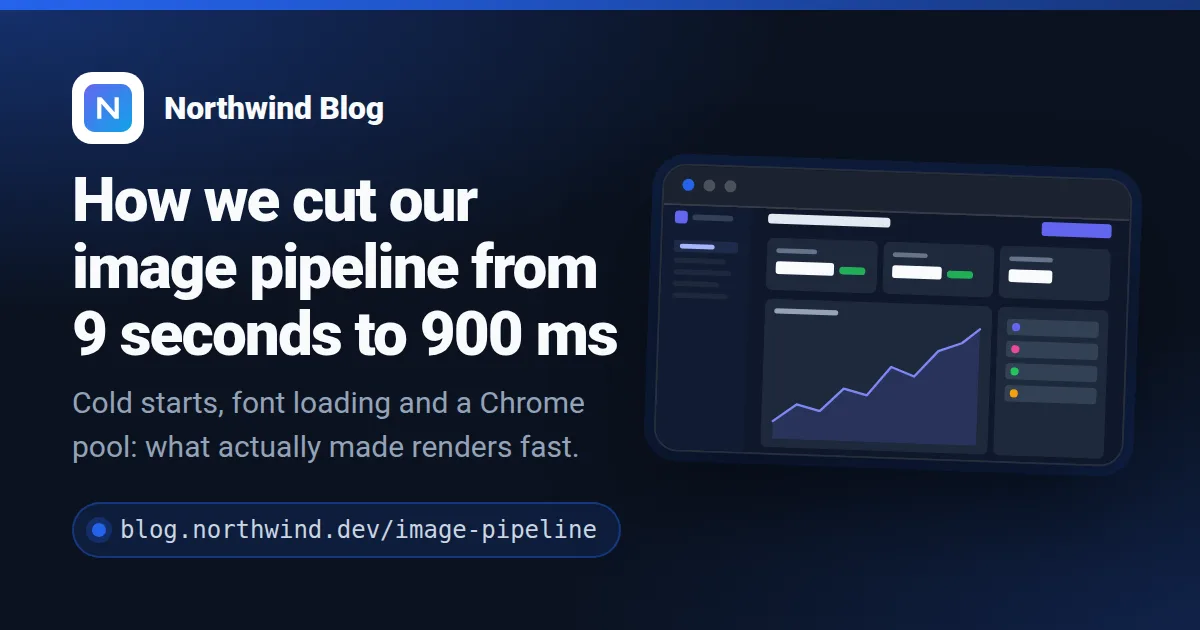
This card was made from nothing but the page's own <title>, description, icon and image.
How it works
- Allow your domain. Sign up and add your domain in the dashboard. Only pages on it (and its subdomains) get images — nobody can render on your quota with somebody else's site.
- Paste one tag.
<meta property="og:image" content=".../u/acc_….png?url=PAGE">in your template, with the page address filled in by your platform. - Share links. When a crawler asks for the image, we read the page, render a 1200×630 card and redirect to it. The next share of the same page is a redirect to the same file.
What we read from the page
og:title,twitter:titleor<title>— the headlineog:descriptionordescription— one or two lines under itog:site_nameand the icon (apple-touch-iconor the largest PNG icon) — the brand rowog:image— shown in a browser frame next to the text, if the page has onetheme-color— the accent colour, when it is a real colour and not white, black or grey<link rel="canonical">— so the same page under two addresses is one image
Snippets for your platform
Replace acc_YOUR_ACCOUNT_ID with your account id — the dashboard shows these snippets with it already filled in.
HTML
Any site: put the tag in the <head> of each page, with that page's address URL-encoded after ?url=. Static site generators can fill it in from the page URL variable.
<!-- In the <head> of each page, with that page's own address -->
<meta property="og:image" content="https://shareglint.com/u/acc_YOUR_ACCOUNT_ID.png?url=https%3A%2F%2Fyour-site.com%2Fpricing">
<meta name="twitter:card" content="summary_large_image">
WordPress
Add to functions.php of a child theme or with a code-snippets plugin. If an SEO plugin (Yoast, Rank Math) already prints og:image, turn its image off so the page has only one.
// functions.php of your (child) theme, or a code-snippets plugin
add_action('wp_head', function () {
    global $wp;
    $page = is_singular() ? wp_get_canonical_url() : home_url(user_trailingslashit($wp->request));
    $image = 'https://shareglint.com/u/acc_YOUR_ACCOUNT_ID.png?url=' . rawurlencode($page);

    echo '<meta property="og:image" content="' . esc_attr($image) . '">' . "\n";
    echo '<meta name="twitter:card" content="summary_large_image">' . "\n";
}, 1);
Shopify
Online Store → Themes → Edit code. Replace the og:image lines in snippets/meta-tags.liquid (or in layout/theme.liquid). canonical_url works on products, collections, pages and blog posts.
{%- comment -%} snippets/meta-tags.liquid — replace the og:image lines {%- endcomment -%}
<meta property="og:image" content="https://shareglint.com/u/acc_YOUR_ACCOUNT_ID.png?url={{ canonical_url | url_encode }}">
<meta property="og:image:secure_url" content="https://shareglint.com/u/acc_YOUR_ACCOUNT_ID.png?url={{ canonical_url | url_encode }}">
<meta property="og:image:width" content="1200">
<meta property="og:image:height" content="630">
<meta name="twitter:card" content="summary_large_image">
Ghost
Edit default.hbs of your theme and put the tags above {{ghost_head}}. Code injection in Ghost Admin does not run Handlebars, so it cannot fill in the page address.
{{!-- default.hbs, in <head> ABOVE {{ghost_head}} --}}
<meta property="og:image" content="https://shareglint.com/u/acc_YOUR_ACCOUNT_ID.png?url={{url absolute="true"}}">
<meta name="twitter:image" content="https://shareglint.com/u/acc_YOUR_ACCOUNT_ID.png?url={{url absolute="true"}}">
<meta name="twitter:card" content="summary_large_image">
Hugo
Put it in the partial that renders your <head>. .Permalink is the absolute address of each page; urlquery encodes it.
{{/* layouts/partials/head.html (or the <head> of baseof.html) */}}
<meta property="og:image" content="https://shareglint.com/u/acc_YOUR_ACCOUNT_ID.png?url={{ .Permalink | urlquery }}">
<meta name="twitter:card" content="summary_large_image">
Webflow
On a CMS template page: Page settings → Custom code → Inside <head> tag, with the Slug field inserted where it says SLUG. Static pages: the same tag with the page's address.
<!-- CMS template page → Page settings → Custom code → Inside <head> tag.
     Replace SLUG with the Slug field (“+ Add field”). -->
<meta property="og:image" content="https://shareglint.com/u/acc_YOUR_ACCOUNT_ID.png?url=https://your-site.com/blog/SLUG">
<meta name="twitter:card" content="summary_large_image">
Wix
Per page: SEO basics → Advanced SEO → Additional tags. Use the address of that page after ?url=.
<!-- Page → SEO basics → Advanced SEO → Additional tags, per page -->
<meta property="og:image" content="https://shareglint.com/u/acc_YOUR_ACCOUNT_ID.png?url=https://your-site.com/about">
Framer
Per page: Page settings → Custom Code → End of <head>, with the address of that page. Clear the page's own social image so there is only one og:image.
<!-- Page settings → Custom Code → End of <head>, per page -->
<meta property="og:image" content="https://shareglint.com/u/acc_YOUR_ACCOUNT_ID.png?url=https://your-site.com/features">
<meta name="twitter:card" content="summary_large_image">
Good to know
- An unchanged page never costs twice: the image is cached by its content, and tracking parameters like
?utm_source=are dropped. - A page that cannot be read gets a card with your site name, never a broken image.
- Free plan included: 100 images a month, one per new or changed page.
- Prefer your own design? Point the domain at any template in your account — it gets the same fields.
Questions
- Do I need an API key in my site?
- No. The URL holds only your account id, which is public. What protects your quota is the list of allowed domains: a page on any other domain gets a 403.
- What if I change a page title?
- We re-read a page at most every 60 minutes. After that the next share gets a new card; the old one is not charged again.
- Does it work for single-page apps?
- Only if the title and description are in the HTML the server sends. Crawlers and our reader do not run JavaScript.
- How is it different from signed URLs?
- A signed URL lets you choose a template and every field yourself, but each page needs its own signature. Auto OG needs no code at all and takes the fields from the page.